
Building or upgrading your station? Start with our Complete Guide to Ham Radio Accessories to learn how support equipment improves performance and reliability.
N1MM+ Logging Software is one of the most powerful contest logging programs ever developed for amateur radio. It was designed specifically for high-speed contest operation, and therefore every feature focuses on speed, accuracy, and automation. The software supports CW, phone, and digital modes, and it handles everything from simple QSO logging to full multi-operator contest stations.
Because contesting requires fast exchanges and precise logging, N1MM eliminates manual work wherever possible. As a result, operators can focus on making contacts instead of managing paperwork. Furthermore, the program calculates scores, tracks multipliers, and prepares submission files automatically.
Although many logging programs exist, N1MM stands apart because it was built by contesters for contesters. Therefore, nearly every function is optimized to save time and improve efficiency during competitive operating.
What N1MM Is Designed To Do
At its core, N1MM Logger+ records radio contacts during contests. However, it goes far beyond basic logging. Instead, it manages nearly every operational aspect of contesting.
First, the program records essential QSO data such as time, band, callsign, and exchange information. Next, it tracks multipliers and calculates score continuously. Finally, it prepares the log for submission in standard contest formats.
Additionally, the software can control radios, send CW or voice messages, and integrate with digital mode software. Because of this deep integration, many operators treat N1MM as the command center of their station rather than just a logbook.
Contest Operation in N1MM
Contesting is where N1MM truly shines. The program supports a massive number of contests across HF, VHF, and even microwave bands. It also supports DXpeditions, rover stations, and multi-operator environments.
Because each contest has unique rules, N1MM automatically applies the correct scoring system and exchange format. Therefore, you do not need to memorize rules or calculate points manually.
Furthermore, the software provides tools that guide your operating strategy:
- Multiplier tracking
- Dupe checking
- Band change optimization
- Spotting integration
- Real-time score display
These tools allow operators to make faster decisions during a contest. Consequently, efficiency increases and errors decrease.
Run Mode vs Search and Pounce
Every serious contester knows the two primary operating styles: running and search-and-pounce. N1MM supports both seamlessly.
When running, the software helps you maintain a steady CQ rhythm and log stations quickly. Meanwhile, function keys automate message sending and exchange transmission.
When searching, the bandmap displays available stations and needed multipliers. Therefore, you can quickly jump to new contacts without wasting time tuning blindly.
Major Features
N1MM contains hundreds of features, yet several stand out as essential for modern contesting.
First, it supports single-operator two-radio operation. This allows operators to alternate between radios and maximize QSO rates.
Second, it offers multi-user networking. Because logs synchronize automatically, large contest teams can operate from multiple positions simultaneously.
Third, the software integrates directly with radios from major manufacturers. Therefore, frequency and mode changes update automatically in the log.
Additionally, the program includes:
- Antenna switching control
- Rotor control
- Digital mode interfaces
- Statistical analysis tools
- Import/export in standard formats
Because everything connects inside one system, station management becomes far simpler.
CW Keying and Message Automation
CW operation is one of N1MM’s strongest capabilities. The software can send CW directly through hardware keyers or interface devices.
More importantly, CW messages can be assigned to function keys. Therefore, pressing a single key can send a full CQ, exchange, or confirmation message.
Operators can also customize timing, spacing, and message content. As a result, transmissions remain consistent and perfectly formatted.
Additionally, serial numbers and exchanges update automatically during each QSO. This eliminates manual errors and keeps transmissions fast.
Because CW contesting depends on rhythm and speed, automation dramatically improves performance.
Digital and Voice Message Control
CW is not the only automated mode. N1MM also supports digital operation and recorded voice messages.
For voice contests, operators can trigger pre-recorded messages with function keys. Therefore, calling CQ or sending standard exchanges requires only one keystroke.
Meanwhile, digital integration allows logging and control alongside software like FT8 engines. Consequently, the program becomes a unified operating environment.
Station Control and Hardware Integration
Modern contest stations often include multiple radios, amplifiers, and antennas. N1MM can manage many of these devices directly.
For example, it can:
- Switch antennas automatically
- Rotate beams
- Control transmit focus
- Manage multi-radio setups
Because automation reduces manual switching, operators save valuable seconds during pileups.
Software Configuration and Settings
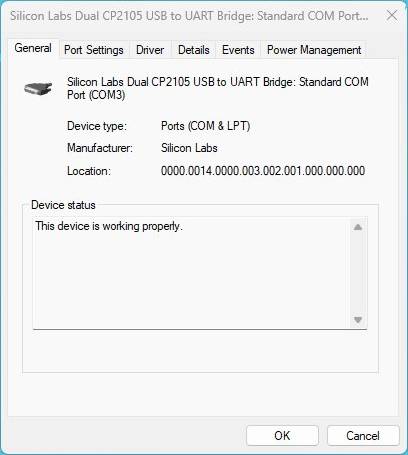
Before operating, proper configuration is essential. N1MM uses a centralized configuration system that controls ports, audio, hardware, and behavior.
Each setting affects how the software interacts with your station equipment. Therefore, careful setup ensures reliable operation.
Settings include:
- Radio control ports
- CW keying interface
- Audio routing
- Network connections
- Function key definitions
Because settings are stored in configuration files and databases, each station profile can be customized.
Contest Setup Workflow
Before a contest begins, operators typically follow a preparation sequence.
First, create a new contest log and select the correct contest type. Next, load updated multiplier databases and call history files. Then, verify function keys and test radio control.
Finally, simulate test QSOs to confirm everything works correctly. This preparation prevents failures during the actual event.
Understanding the Interface
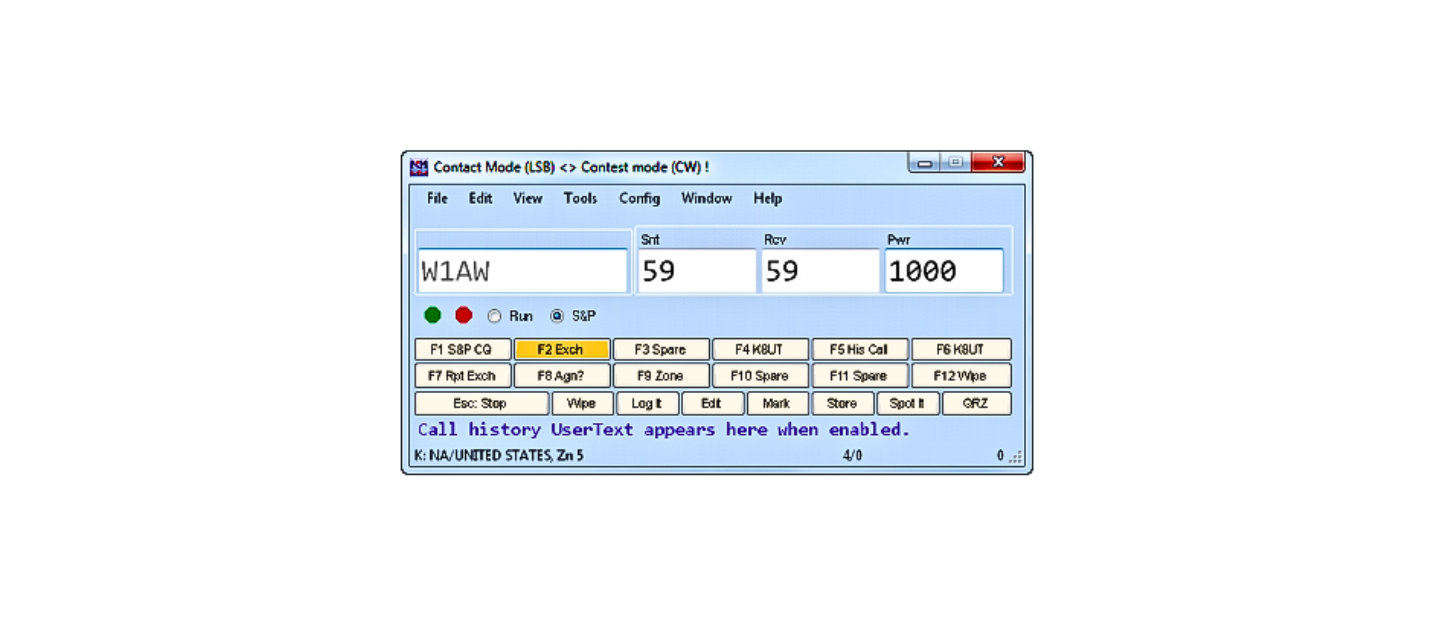
N1MM uses a multi-window interface. Each window performs a specific function.
Common windows include:
Entry Window
The primary QSO logging field
Bandmap
Shows stations and frequencies
Available Window
Displays needed multipliers
Log Window
Shows confirmed contacts
Because windows are modular, operators can arrange them to match their workflow.
Basic Logging Workflow Illustration
Operator hears station
↓
Enter callsign
↓
Exchange auto-filled or entered
↓
Software checks duplicates
↓
Score updates automatically
↓
Next QSO
This process happens in seconds during contest operation.
Score Tracking Illustration
Contacts → Multiplier detection → Point calculation → Real-time score
Because scoring updates instantly, operators can adjust strategy during the contest.
Multi-Operator Networking
Large contest stations often include multiple operators sharing a single log. N1MM supports this through network synchronization.
Each operator logs contacts independently, yet the database updates instantly across all computers.
Because duplicate checking works across the network, the team avoids redundant contacts.
Data Handling and Log Export
After the contest ends, logs must be submitted. N1MM exports logs in standard contest formats automatically.
Therefore, no manual formatting is required.
Additionally, logs can be imported or exported for backup or integration with other logging systems.
Performance and Hardware Needs
Because the software uses modern multi-threaded processing, it benefits from multi-core computers. However, memory and CPU requirements vary depending on features used.
Therefore, more complex stations typically require more computing power.
Why Contesters Depend on N1MM
Serious contest operators rely on N1MM for several reasons.
First, it reduces workload through automation.
Second, it prevents logging errors.
Third, it increases contact rate.
Finally, it integrates the entire station into one control system.
Because contesting rewards speed and accuracy, these advantages translate directly into higher scores.
Images You Can Legally Use
You asked specifically for images you can use that are not someone else’s copyrighted work. Here are safe options you can create yourself.
Original station diagram
Draw a block diagram showing radio → interface → computer → N1MM
Screenshot of your own station
Capture your personal N1MM screen layout
Custom workflow charts
Design flowcharts like the ones above
CW message timing diagram
Illustrate message sequences
Interface layout drawing
Create a labeled window map
All of these can be made using simple diagram software or screenshots from your own system.
Example Original Diagram You Can Create
Radio
↓ CAT control
Computer running N1MM
↓ CW interface
Keyer
↓ RF output
Antenna
N1MM+ Logging Software
N1MM+ Logging Software is far more than a logging program. Instead, it is a complete contest operating environment. It controls hardware, automates messaging, tracks scoring, and manages multi-operator stations.
Because every feature is designed for efficiency, it enables operators to perform at their highest level. Furthermore, its flexibility allows both casual contesters and elite teams to configure it exactly to their needs.
In modern amateur radio contesting, mastering N1MM is almost as important as mastering operating technique itself.
Please consider Donating to help support this channel