
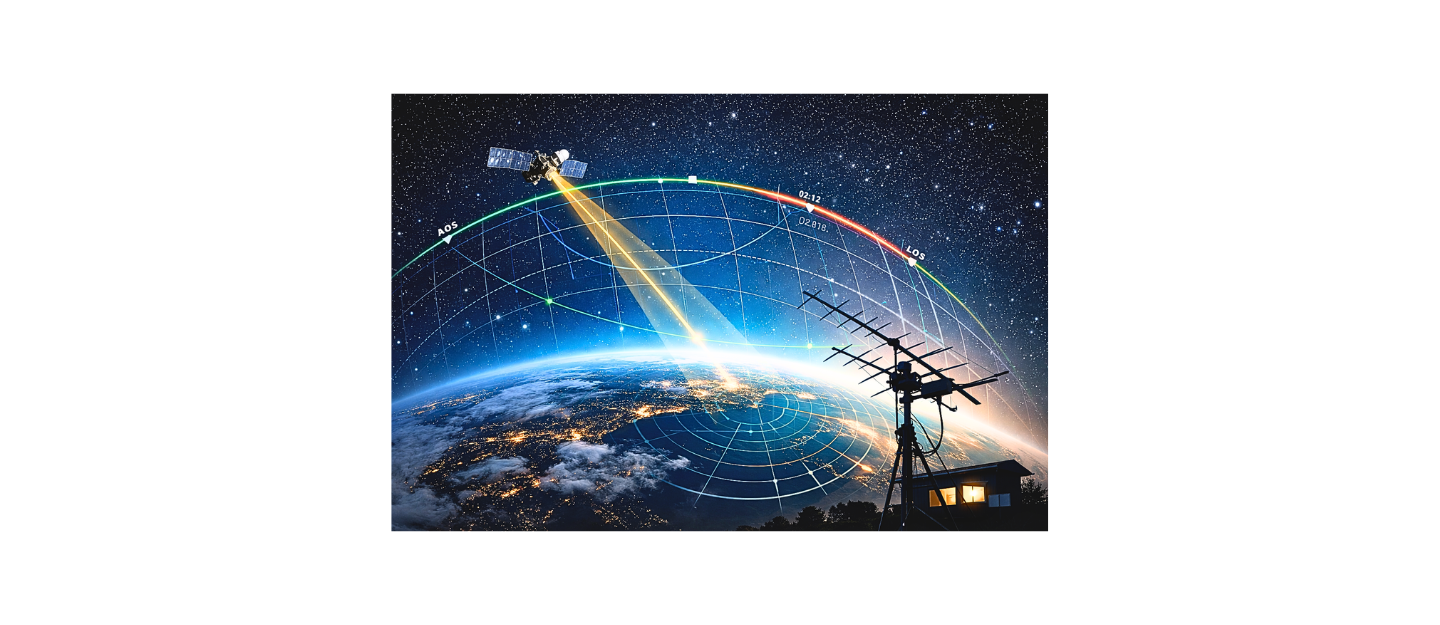
Satellite tracking is one of the most technically rewarding areas of amateur radio because it forces you to combine theory with real-time operating skill. Unlike HF contacts where propagation changes gradually, satellite work requires constant awareness and adjustment. You are tracking an object moving thousands of miles per hour while managing antenna direction, signal strength, and frequency drift at the same time.
Modern free software has made this process far more accessible than it used to be. What once required expensive systems can now be accomplished with open-source tools and accurate orbital data. The real advantage comes from understanding how the data works and how to apply it effectively during a pass.
Understanding TLEs and Orbital Prediction
Two-Line Elements, or TLEs, are the foundation of all satellite tracking. These small blocks of data describe a satellite’s orbit in a standardized format that tracking software can interpret. Each satellite has a unique TLE that is used to calculate its position relative to your location.
From a technical perspective, TLEs contain orbital parameters such as inclination, eccentricity, and mean motion. These values are processed through mathematical models that predict where the satellite will be at any given time. The results are translated into practical information like pass times, direction, and elevation.
Because satellites are constantly affected by atmospheric drag and gravitational forces, their orbits are never perfectly stable. This means TLE data becomes less accurate over time and must be updated regularly. If you rely on outdated data, your tracking predictions will drift and may cause you to miss passes entirely.
Key Satellite Tracking Concepts Every Operator Must Know
To use tracking software effectively, you must understand the core values it displays. These are not abstract concepts—they directly control how you operate during a satellite pass.
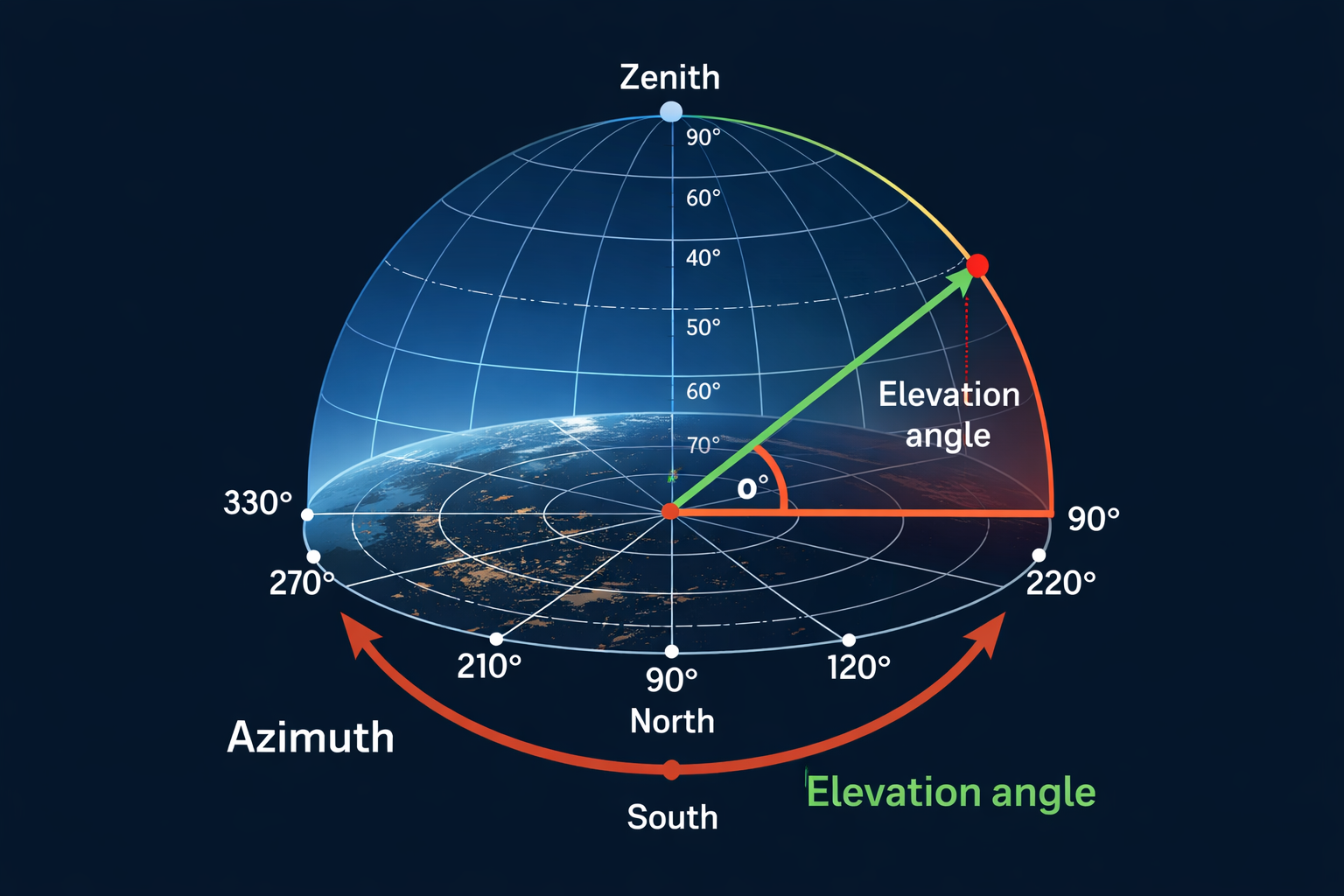
Azimuth represents the compass direction of the satellite from your location. It is measured in degrees and moves clockwise from north. Elevation describes how high the satellite is above the horizon, with higher angles generally producing stronger signals.
A pass is the time window during which the satellite is above your horizon. Each pass has a beginning, a peak, and an end. High-elevation passes are usually the most useful because they provide longer durations and better signal conditions.
Doppler shift describes how the frequency of the satellite signal changes as it moves relative to you. When the satellite approaches, the frequency increases slightly. When it moves away, the frequency decreases. This continuous change must be managed throughout the pass.
Why Doppler Shift Matters in Amateur Satellite Work
Doppler shift is one of the most important factors in satellite communication. Because satellites move at extremely high speeds, the frequency you receive is constantly shifting. Even on VHF frequencies, this shift can be significant enough to affect signal clarity.
If Doppler correction is ignored, signals will drift out of your receiver’s range, making communication difficult or impossible. This is especially noticeable at the beginning and end of a pass when the rate of change is highest.
Tracking software helps by calculating Doppler shift in real time. Some programs can even control your radio automatically, adjusting frequency continuously during the pass. However, many operators start by manually tuning their radios, which helps build a deeper understanding of how satellite motion affects RF signals.
Choosing the Right Free Satellite Tracking Software
There are several excellent free tracking tools available, and each serves a slightly different purpose. Choosing the right one depends on your operating style and level of experience.
GPredict is one of the most powerful options. It provides real-time tracking, Doppler calculations, and integration with radios and antenna rotators. It is ideal for operators who want a complete tracking solution.
Orbitron is a simpler alternative designed for Windows users. It offers a clean interface and is easy to configure, making it a good starting point for beginners.
Web-based tools like N2YO and Heavens Above are useful for quick access. They require no installation and are perfect for checking passes on mobile devices, though they lack advanced control features.
Installing and Setting Up GPredict
Installing GPredict is straightforward, but proper setup is critical for accurate tracking. After installation, the first step is entering your exact location. Using precise latitude and longitude values ensures accurate pass predictions.
Next, update the satellite database using TLE files from sources such as Celestrak or AMSAT. This step is essential, as outdated data will lead to incorrect tracking.
Once updated, you can select the satellites you want to monitor. Organizing them into groups helps keep the interface clean and allows you to focus on specific types of satellites, such as amateur or weather satellites.
Understanding the GPredict Interface
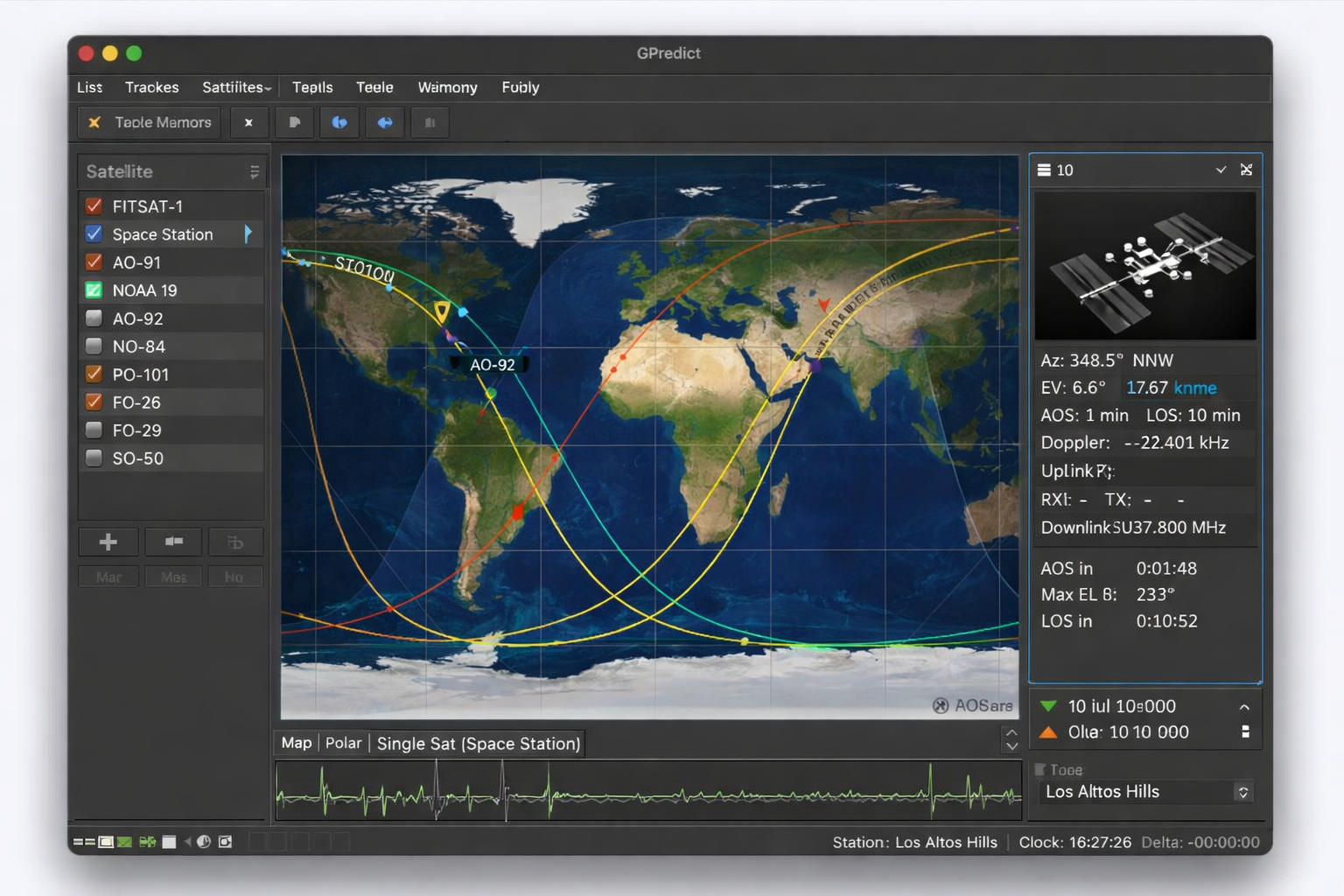
The GPredict interface provides a real-time view of satellite activity. A map display shows current satellite positions, while additional panels provide detailed pass information.
This includes acquisition of signal, loss of signal, maximum elevation, and pass duration. The software also displays Doppler shift data, allowing you to adjust frequencies accurately during a pass.
By combining these elements, GPredict gives you a complete picture of the satellite’s movement and how it relates to your station.
Tracking Your First Satellite Pass
For beginners, it is best to start with a high-elevation pass. These passes are easier to track and provide stronger signals. The International Space Station is often recommended because it is bright and easy to identify.
As the pass begins, point your antenna toward the predicted azimuth and follow the satellite’s path across the sky. Adjust elevation as needed and monitor the signal closely. At the same time, make small frequency adjustments to compensate for Doppler shift.
Even listening to signals without transmitting is valuable practice and helps build confidence.
Practical Antenna Techniques for Satellite Tracking
Tracking satellites requires constant antenna movement. A handheld directional antenna allows you to follow the satellite manually and adjust for changes in position.
As the satellite moves, you must adjust both azimuth and elevation smoothly. Sudden movements can cause signal loss, so steady tracking is important.
Polarization can also affect signal strength. Rotating the antenna during a pass can help maintain a stronger signal as the satellite’s orientation changes.
Keeping TLE Data Updated for Accuracy
Keeping your TLE data current is essential for accurate tracking. Because satellite orbits change over time, outdated data quickly becomes unreliable.
Updating your TLE files at least once per week is recommended, but more frequent updates provide better accuracy. Many tracking programs support automatic updates, which simplifies this process and ensures consistent results.
Expanding Your Satellite Tracking Station
As your experience grows, you can expand your station with additional equipment. A computer-controlled rotator allows your antenna to follow satellites automatically, improving accuracy and reducing manual effort.
Integrating your radio with tracking software enables automatic Doppler correction, which keeps signals centered without constant tuning. Adding an SDR receiver allows you to monitor a wider range of signals and record entire passes for later analysis.
These upgrades significantly enhance your capabilities and open the door to more advanced satellite operations.
Common Mistakes That Limit Success
Many operators encounter difficulties due to simple mistakes. Using outdated TLE data is one of the most common issues and leads to incorrect tracking. Ignoring Doppler shift can also result in weak or distorted signals.
Incorrect location settings, poor antenna alignment, and attempting to track low-elevation passes can further reduce performance. Addressing these issues improves reliability and makes satellite tracking much more enjoyable.
Final Thoughts on Satellite Tracking in Amateur Radio
Satellite tracking is a unique blend of theory and practical skill. By understanding how TLE data defines orbital motion and how tracking software converts that into usable information, you gain the ability to predict and follow satellites with precision.
Free software tools provide more than enough capability for most operators. The real advantage comes from learning how to interpret the data, adjust in real time, and refine your operating technique.
With consistent practice, satellite tracking becomes intuitive and opens up new opportunities for communication, experimentation, and exploration within amateur radio.
Frequently Asked Questions
What are TLEs in satellite tracking?
Two-Line Elements are orbital data sets used to predict satellite positions accurately.
What is the best free satellite tracking software?
GPredict is the most advanced option, while Orbitron is easier for beginners.
How often should I update TLE data?
At least once per week, though more frequent updates improve accuracy.
What causes Doppler shift in satellite signals?
It is caused by the relative motion between the satellite and your station.
Can beginners track satellites successfully?
Yes, using free software and a basic antenna setup.
Do I need a rotator system?
No, but it improves tracking accuracy and simplifies operation.
About the Author
Vince, W2KU, is a licensed Extra class amateur radio operator and the founder of Ham Shack Reviews. He was named Amateur of the Year in 2026 for contributions to practical amateur radio education and equipment evaluation.
He knows propagation very well, operates mobile and handhelds daily. Vince exchanges QSL cards for DXCC, contest confirmation, and award tracking and is the club QSL manager. His guidance focuses on practical operating procedures, accurate logging, and real-world amateur radio practices.
Please consider Donating to help support this channel