
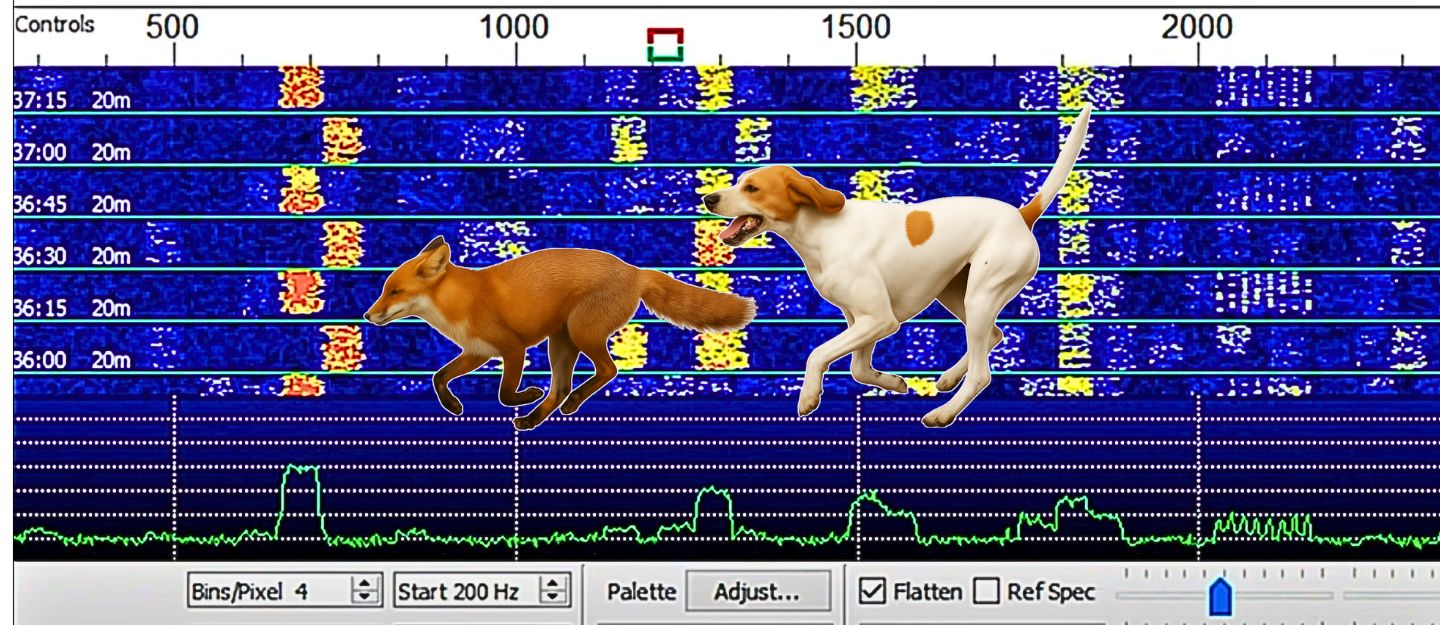
Fox and Hound FT8 is a specialized operating mode within WSJT-X designed to handle high-volume DXpedition pileups efficiently. The mode allows one operator, known as the “Fox,” to manage multiple simultaneous QSOs while hundreds of “Hounds” attempt to make contact.
Unlike standard FT8, this setup dramatically increases the number of successful contacts per minute, making it perfect for rare DX operations and major events. Because communication occurs in tightly structured time slots, the system maintains precision and speed even in crowded bands.
New to digital operation? Read our Complete Guide to Digital Modes.
What Is Fox and Hound FT8
Fox and Hound FT8 is a specialized operating mode within WSJT-X designed to handle high-volume DXpedition pileups efficiently. The mode allows one operator, known as the “Fox,” to manage multiple simultaneous QSOs while hundreds of “Hounds” attempt to make contact.
Unlike standard FT8, this setup dramatically increases the number of successful contacts per minute, making it perfect for rare DX operations and major events. Because communication occurs in tightly structured time slots, the system maintains precision and speed even in crowded bands.
Ham banner:Why Fox and Hound FT8 Is Used
Standard FT8 operation cannot handle large pileups efficiently because multiple stations transmit on the same frequency. Fox and Hound mode solves this by spreading callers across the passband while the Fox controls the sequence. This allows dozens of QSOs to occur simultaneously without overlap, dramatically increasing contact rates during high-demand operations.
What Makes Fox and Hound FT8 Different
In standard FT8, two stations exchange messages one-on-one in a single sequence. However, Fox and Hound FT8 introduces multi-streaming and offset frequency control. The Fox transmits up to five messages at once on different frequencies within a narrow segment, while each Hound transmits on a slightly offset frequency determined automatically by the software. This frequency coordination ensures that each QSO remains distinct, preventing overlap or confusion. Moreover, because the Fox controls the timing, synchronization stays consistent, reducing decoding errors.
How to Set Up Fox and Hound FT8
To begin, operators must install the latest version of WSJT-X that supports Fox and Hound mode. First, open the program and configure your station parameters such as callsign, grid locator, and rig control. Then, under the “Advanced” tab, enable “DXpedition Mode.” When you’re operating as the Fox, select “Fox” from the drop-down list, and if you’re a Hound, choose “Hound.”
Next, ensure your radio’s CAT control is functioning properly. Set your transmit frequency within the FT8 band segment recommended for DXpeditions, usually above 1000 Hz on the waterfall. The Fox station must maintain a stable frequency and precise timing; therefore, using NTP synchronization or GPS-based timing software is essential. Meanwhile, Hounds should also sync their system clocks to guarantee they transmit within the correct 15-second windows.
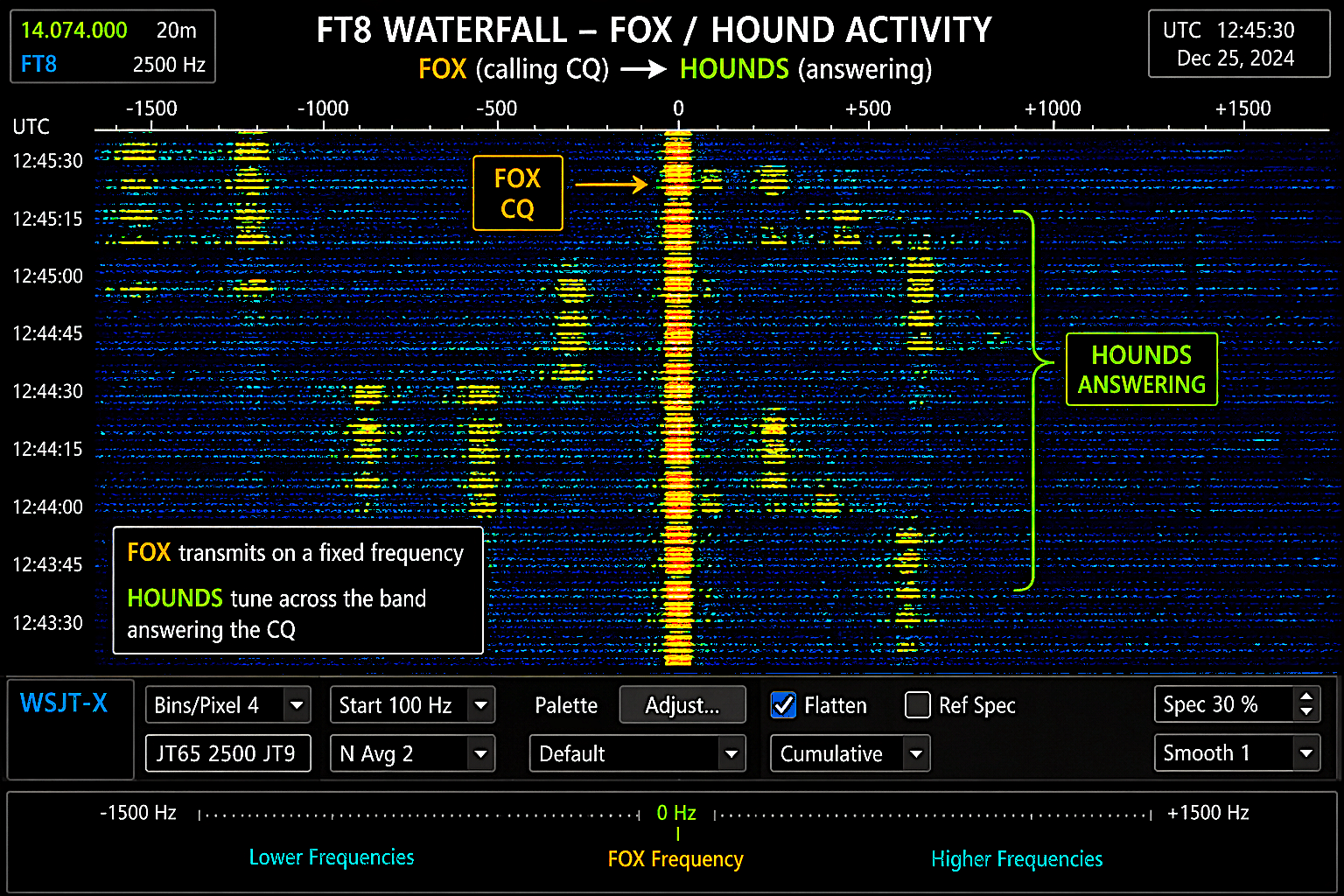
FT8 waterfall showing Fox/Hound activity
Once your station is configured, start by monitoring the DXpedition’s calling frequency. The Fox will transmit a CQ call, and Hounds should respond automatically when WSJT-X detects the pattern. Because the Hound’s transmission frequency is automatically offset, there’s no need for manual adjustment. The Fox decodes multiple Hound signals simultaneously and responds to several stations in a single transmit cycle.
During operation, always allow the software to handle sequencing. The system manages the call flow automatically, sending signal reports, acknowledgments, and confirmations. However, you can manually monitor the status window to track your QSO progress. If you see a “RR73” message, it indicates that your contact is complete. Since each QSO typically lasts under a minute, the process is much faster than standard FT8.
Advantages of Using Fox and Hound FT8
Fox and Hound FT8 provides significant advantages for both DXpeditions and chasers. First, it maximizes contact throughput by allowing the Fox to work multiple stations simultaneously. Additionally, it reduces operator fatigue since much of the sequencing and response handling occurs automatically. The system also improves fairness; because the software manages frequency allocation, every Hound gets a clear slot to call.
Furthermore, this mode enhances signal efficiency. Even when band conditions fluctuate, the Fox can decode weak signals across several frequency slices at once. As a result, DXpeditions can log thousands of contacts in a fraction of the time required for traditional modes. Another key benefit is that Fox and Hound FT8 minimizes human error, allowing both seasoned operators and newcomers to participate effectively in major global operations.
Maximizing Success with Fox and Hound FT8
To achieve optimal results, maintain precise timing synchronization, stable power output, and clean audio. Use minimal overdrive to prevent distortion, as FT8 relies heavily on signal purity for accurate decoding. In addition, constantly monitor your waterfall to ensure that your transmit frequency remains within the proper range. When multiple Foxes are active across the band, move slightly to avoid overlap and ensure efficient spectrum use.
Fox and Hound FT8 continues to transform digital DXing by combining automation, precision, and efficiency. Through proper setup and careful operation, you can enjoy seamless high-rate contacts even during intense pileups. This technology represents the next step in digital communication, allowing operators to connect faster, smarter, and with greater reliability across the world.
Common Mistakes in Fox and Hound FT8
One of the most common mistakes operators make is transmitting too frequently or attempting to override the automated sequencing. Fox and Hound mode depends on precise timing, and unnecessary transmissions reduce overall efficiency.
Other common issues include:
- Poor time synchronization
- Overdriven or distorted audio
- Operating outside the intended frequency range
- Not watching active signals on the waterfall
Avoiding these mistakes significantly improves your chances of completing contacts.
Practical Operating Insight
Fox and Hound FT8 is specifically designed for real-world DXpedition conditions where signal congestion and demand are extremely high. Its structured sequencing and automated frequency management allow operators to maintain order and efficiency even when hundreds of stations are calling simultaneously. This makes it one of the most effective digital modes currently used in high-demand amateur radio environments.
Fox and Hound FT8 has become the standard for high-volume digital DXing because it combines automation, precision, and scalability. Its ability to maintain order under extreme demand makes it essential for modern DXpeditions and weak-signal communication. Operators who understand how to properly configure and interpret this mode consistently achieve higher success rates.
FAQ: FT8 Fox and Hound Mode
What is FT8 Fox and Hound mode used for?
FT8 Fox and Hound mode is used during DXpeditions and high-demand operating situations where many stations need to contact a single rare station. It allows the Fox to work multiple operators at the same time efficiently.
Do I need special equipment to use Fox and Hound FT8?
No special equipment is required beyond a standard FT8 setup using WSJT-X. However, better antennas, low-noise reception, and accurate timing will significantly improve results.
Why can’t I transmit on the Fox frequency?
All Hounds must spread out across the waterfall to avoid interference. Transmitting on the Fox frequency disrupts the operation and reduces efficiency for everyone.
How many stations can the Fox work at once?
The Fox can transmit multiple signals simultaneously, often working several stations within the same transmission cycle, which greatly increases contact rates.
Is Fox and Hound mode only used for DXpeditions?
No, it is also used in weak-signal communication such as EME (moonbounce), where multiple stations may attempt to contact a single station under difficult conditions.
Why am I not getting a response from the Fox?
Common reasons include poor timing synchronization, transmitting in a crowded frequency slot, weak signal strength, or interference. Monitoring the waterfall and choosing a clear transmit position improves your chances.
Please consider Donating to help support this channel